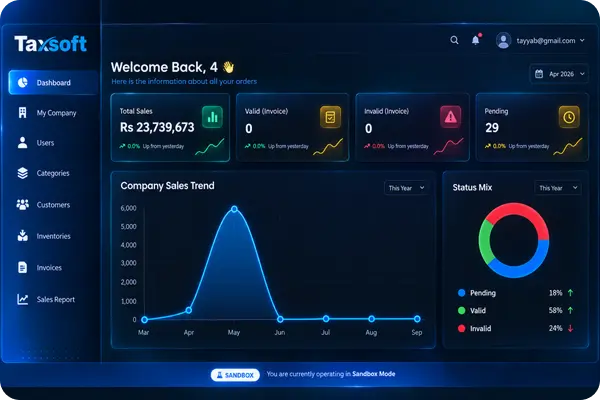
Taxsoft keeps the important steps together, from entering invoice details and calculating tax to validation, submission, and keeping the final record organized.
Enter buyer information, items, quantities, prices, discounts, and other required invoice details in one structured form.
Taxsoft validates the required invoice information so missing or incorrect details can be identified before the invoice moves forward.
Calculate invoice taxes using the selected rates while preparing the invoice.
Once the invoice is ready, submit the validated data through the connected FBR digital invoicing process and receive the submission result.
Store the customer, registration, and business information used during invoicing so it does not have to be rebuilt for every transaction.
Keep submitted invoices, FBR confirmation details, and QR-enabled invoice documents together for later review.
Taxsoft keeps the business, customer, invoice, and submission information used throughout your invoicing workflow structured and easier to reference.
Taxsoft keeps the FBR invoicing process structured around the records, transaction volume, and day-to-day work each business needs to manage.
Handle frequent customer transactions without rebuilding invoice information every time. Keep buyer details, item information, tax calculations, and completed invoice records together as daily volume grows.
Get StartedManage invoices that involve multiple items, quantities, pricing, discounts, customer records, and tax information through one consistent process instead of scattered spreadsheets.
Talk to Taxsoft
Use Taxsoft to prepare and manage FBR invoice work for the business account you are handling, with the related records kept structured and easier to review.
How It WorksShare your business email and our team can discuss how Taxsoft would work with your current FBR invoicing process.
Explore the complete invoicing workflow, or start setting up Taxsoft for your business when you’re ready.